
Just found this nice template that helps to start the Windows Phone 7 Development in F# in the Visual Studio Gallery
The template was created by Daniel Mohl
To Install and use the template , follow the steps as described below
- In Visual Studio 2010, navigate to Tools – > Extension Manager -> Online Gallery and search for the term “F# and C# Win
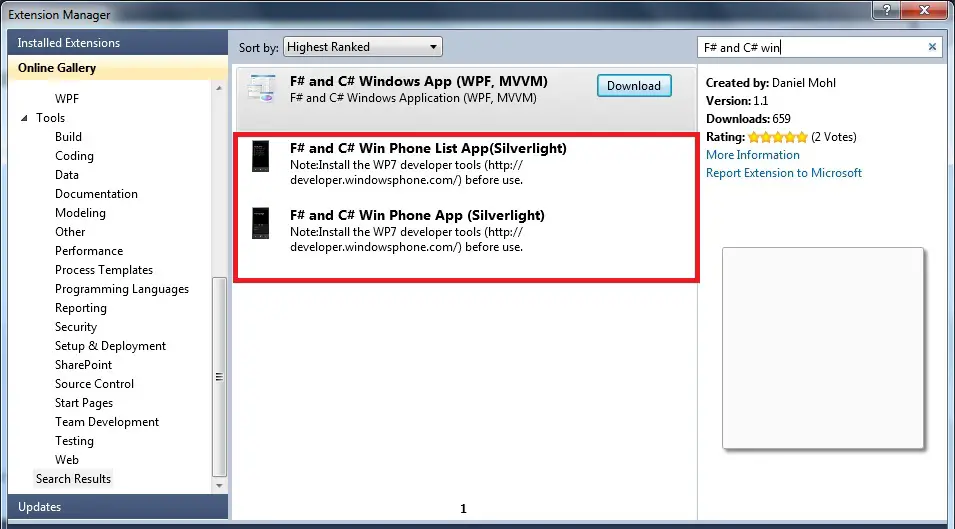
- Once the Templates are installed , you might see the installed templated are highlighted

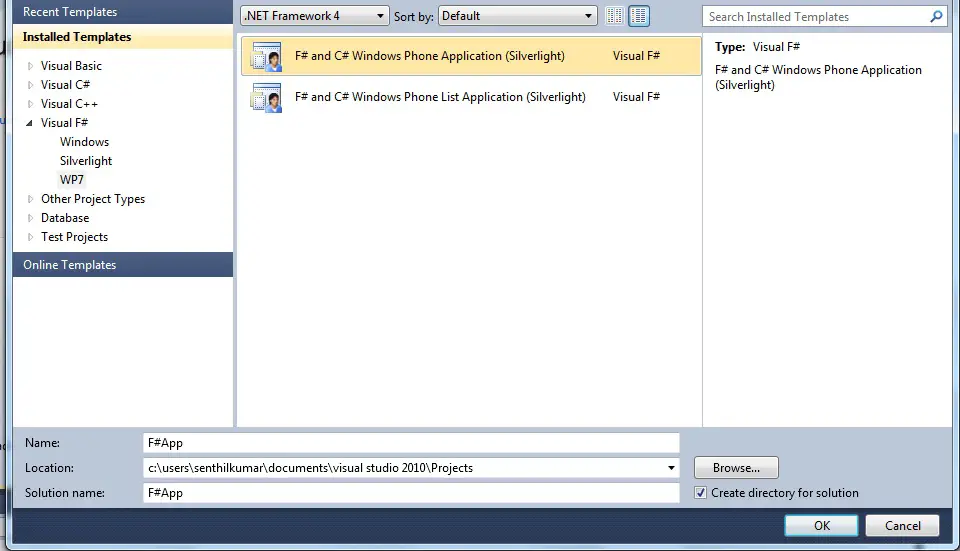
- Now , we are ready to kick start the Windows Phone 7 Development in F#. Go to File – > New Project – > F# – >WP7 , and you would see the templates to select for the Windows Phone 7 Project .Let us select F# and C# Windows Phone Application (Silverlight) .
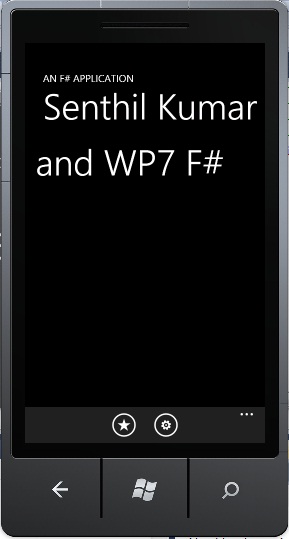
- Here’s the look of the Application in F# with a simple page ( after adding my custom text to the form ) in Emulator .
There are some Prerequisites to use the template
- Visual Studio 2010 Professional.
- Windows Phone Developer Tools Beta < Link >
- Templates for Windows Phone 7 and F# to be installed from Visual Studio Gallery


2 Comments
I’m glad you liked the template. It’s great to see more and more people picking up F#!
Thanks